Run your classroom on its own money.
Name the money, pay classroom Jobs on Payday, and stock a Shop. Students earn, spend and save, and every Transaction is on record.
Free for teachers, and built by one. No student email addresses. COPPA compliant. Set up in one prep period.

You name the money
Keep ClassCents, or call it Otter Bucks with your own symbol. Points mode counts in whole numbers instead.
Payday pays the Jobs
Line Leader earns $3.00 on the Payday you set, daily, weekly or monthly, whether or not you open the app.
One Balance per student
The same Balance across all your classrooms, on any phone, tablet or Chromebook. Student logins are optional.
Set up in one prep period, then let Payday run.
Name the money and open the Shop
Import your roster from a CSV or Excel file, or paste it from a spreadsheet. Add Jobs and Rewards from the starter lists, or write your own.
Pay as the week goes
Give or Deduct with a saved Reason, for one student, a Group or the whole class. Payday pays every paid Job, daily, weekly or monthly.
See every Balance at a glance
Every Transaction is on record, and a Give or Deduct can be undone, even one made to the whole class at once. Export to CSV, or print statements two to a page.
What students do with it
Earn, spend and save, with real choices about money they earned themselves. Where students never sign in, you redeem Rewards for them at your desk.
Earn
Hold a Job and Payday pays it. If you ask them to, they mark it done first.
Spend
Buy from your Shop, after seeing what it leaves.
Save
Move money into Savings, or into a Goal they named.
Students sign in with a card you print
Eight to a letter page, in colour or black and white. Each has a username and a password made of two words and a three-digit number, like maple-otter-482, set in a typeface where l, 1 and I never look alike.
No email addresses. Logins are optional: Jobs, Payday, Give and Deduct, and redeeming Rewards all work from your own screen.
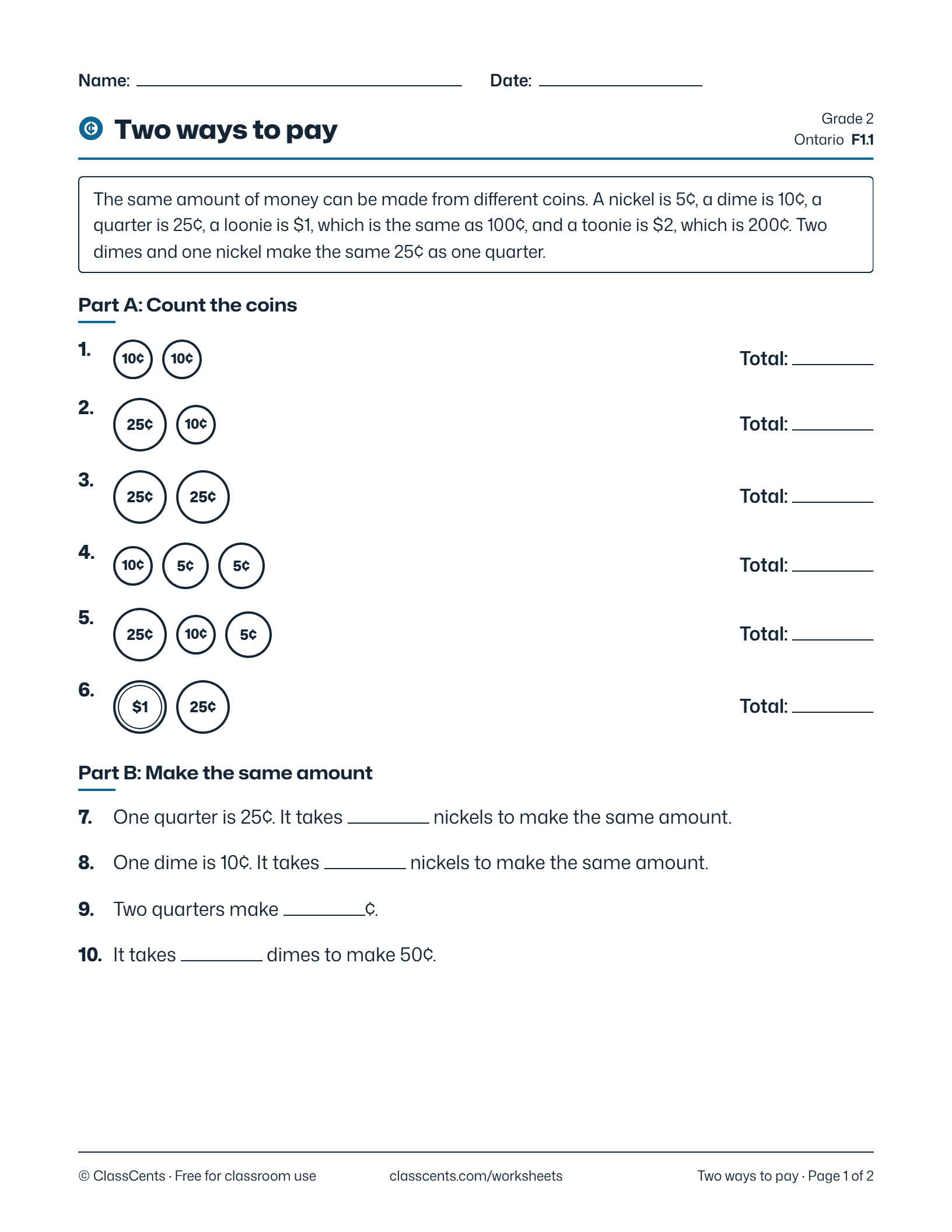
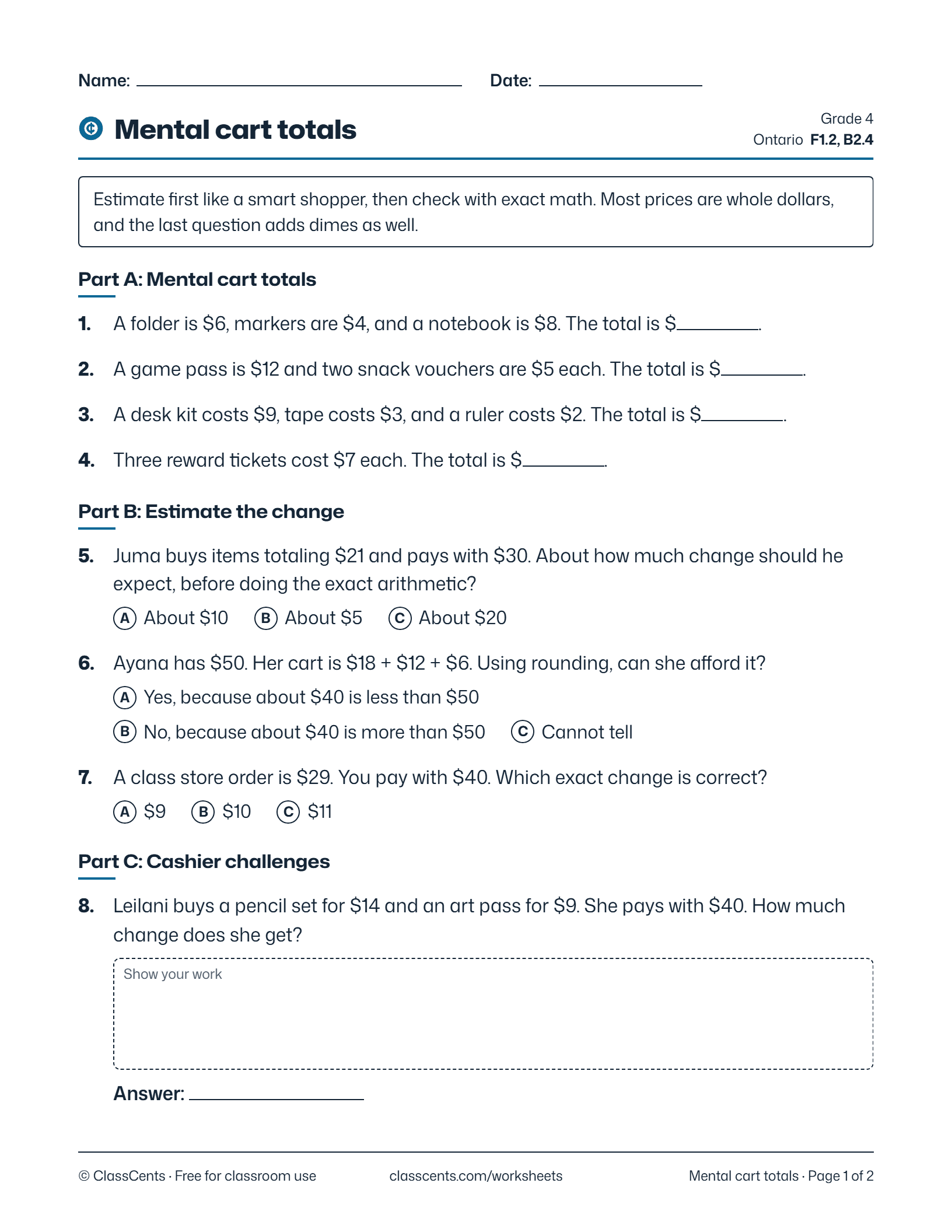
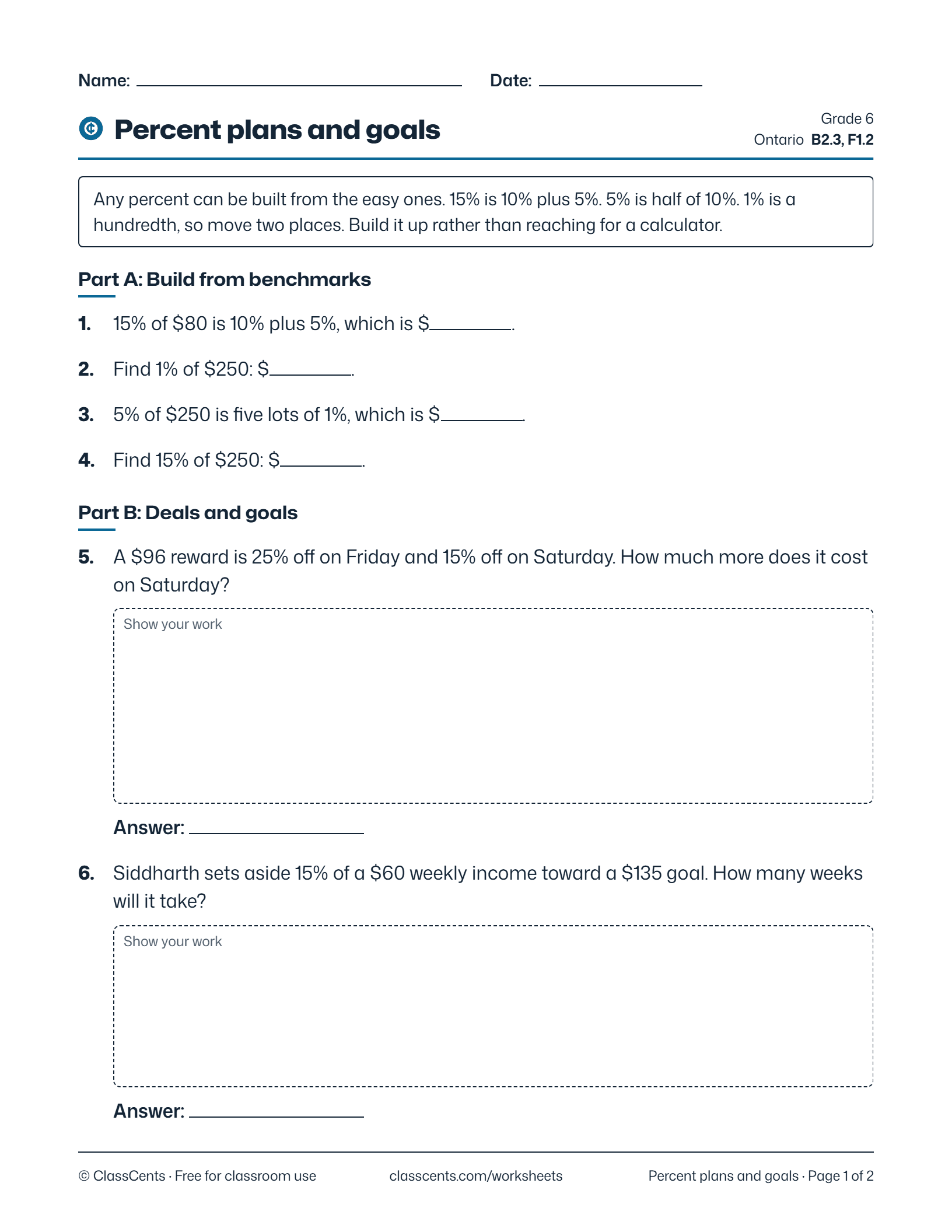
96 free worksheets for grades 1 to 8
Money maths for the Ontario 2020 curriculum, in Canadian money, loonies and toonies included. Every topic comes in Modified, Standard and Challenge, every sheet ends with its answer key, and the drawings are made to photocopy in black and white.
Worksheets by grade
Privacy, in plain words
- No student email addresses
- Students sign in with the username and password on their Login card. Nobody needs an inbox.
- What we store
- Student names as you type them, the username and password on each Login card, and the classroom records you create: Balances, Jobs, Rewards, Badges and Transactions.
- COPPA compliant
- Students never sign themselves up. You add every student, and you decide who gets a Login card.
- The records stay the school's
- Built to sit inside your school's FERPA obligations. Read the privacy policy.
Questions teachers ask
Still wondering about something? Write to us.
Is ClassCents safe for my students?
ClassCents is COPPA compliant, and it is built to sit inside your school's FERPA obligations: the student records stay the school's, and you can export them or delete them. Students are never asked for an email address, phone number or social media account. We store their names as you type them, the username and password on their Login card, and their classroom activity.
How long does it take to set up my classroom?
About one prep period. Add your students, name your money, post a few Jobs and Rewards, and you're ready. Once you sign in, “Set up your first classroom” in the Help Centre walks through each step.
Do students need their own devices or accounts?
No. Logins are optional, and you can run Jobs, Payday, Give and Deduct and redeeming Rewards from your own screen. If you want students to sign in, each one gets a printable Login card with a username and password you generate, and they can check their Balance from any shared classroom device. No student email addresses are needed.
Can I customize the money and Rewards for my classroom theme?
Yes. Name your money (ClassCash, Eagle Bucks, anything you like), pick its symbol, or use Points mode for whole numbers. Then write Rewards and Jobs that match your classroom, whether that is space exploration, adventure quests or real-world economics.
What features are included?
Everything, for free: unlimited classrooms and students, roster import from a CSV or Excel file, your own currency name and symbol, classroom Jobs paid on Payday, a Shop of Rewards, student avatars, Badges, Savings and Goals, a class leaderboard, the full Transaction history with CSV export and printable reports, and a student dashboard that works on phones, tablets and Chromebooks.
How do classroom Jobs and Payday work?
Assign students to classroom Jobs (Line Leader, Tech Helper and so on) and Payday pays them automatically, daily, weekly or monthly per Job. You can also require students to mark their Job done before Payday pays them, which builds independence and accountability.
I teach the same student in more than one class. Does that work?
Yes. Add the student to each classroom and they keep one login and one Balance, the same in every class. Rewards, Jobs and Badges belong to the classroom they were created in, so each class can run its own economy.
How do I handle behaviour issues or disputes about money?
Every Transaction is recorded with its time and its Reason or note. You can open a student's whole history, Deduct when it is called for, and undo a mistake. The record helps students understand consequences and learn from them.
What happens to my data if I stop using ClassCents?
You can delete your account from Settings, and its classrooms, students and their records are deleted with it. Our privacy policy says how long that takes.
Do you offer support and resources?
Yes. Sign in and open the Help Centre from your dashboard menu for step-by-step guides, read the free setup guide on this site, or write to support@classcents.com.
Your first Payday can be this Friday.
Set up in one prep period. Free for teachers, and built by one.